
Question 31
3/3 marksFOR TEACHERS & SCHOOLS · CLASSES 6–12 · CBSE PATTERN
See where each student got stuck — not just the marks.
Give your class a worksheet in any subject you teach. Students upload their handwritten answers. Vedora grades every step and shows who needs help next.
Talk to either of us first: +91 8979986263 or +91 9341026081.
No card. A teacher account takes about two minutes.
CLASS 10 · Q31 · A REAL STUDENT ANSWER SHEET
VEDORA GRADING3/3
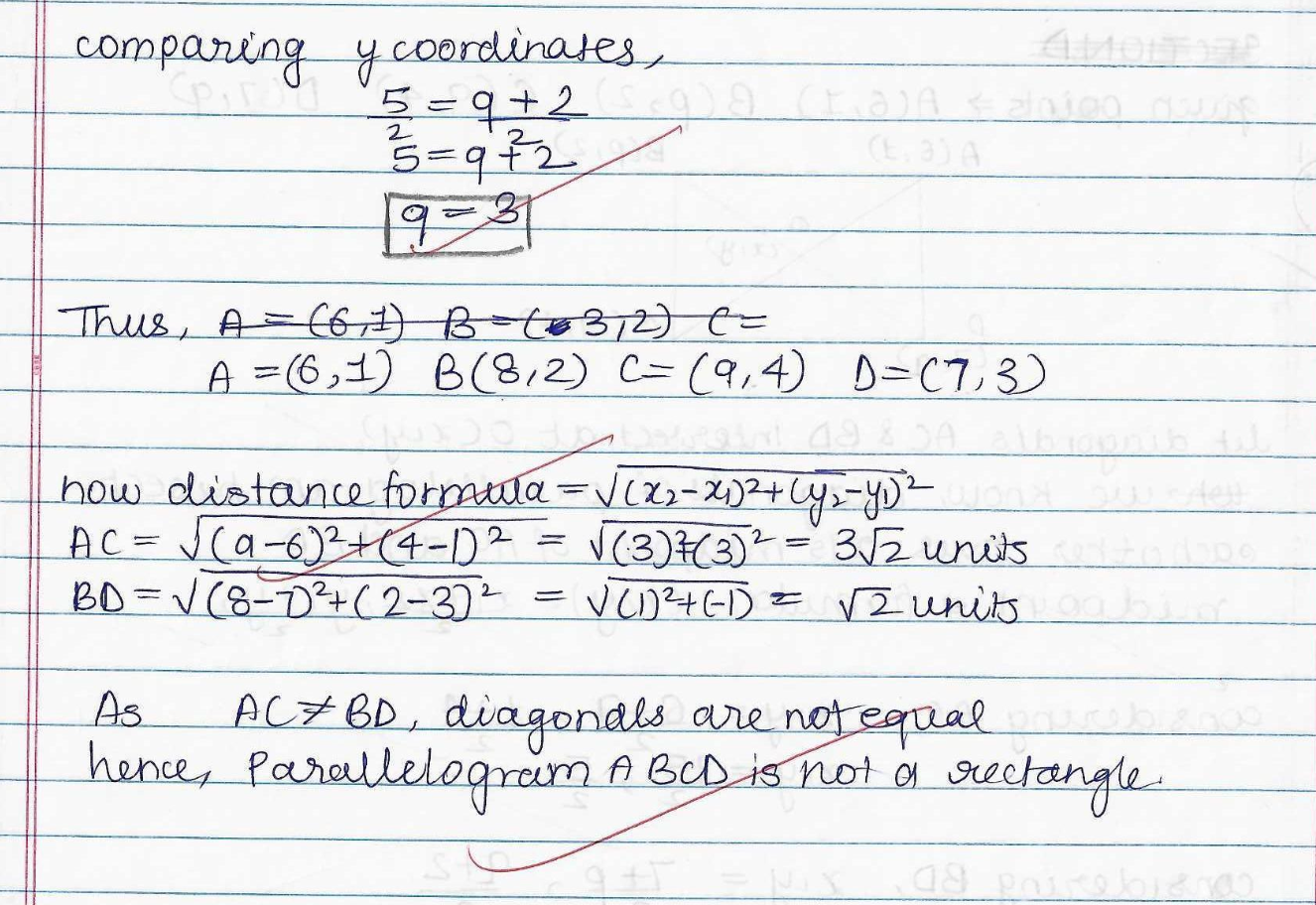
FROM VEDORA’S GRADING REPORTOpen report
Open the full graded report See a 1/5 example
Real student work (Class 10 Maths) · marks and feedback by Vedora · shared with permission.
Shown in Maths. The same step-by-step grading runs for other subjects your school enables.
THE EVENING AFTER YOU SET HOMEWORK
60 copies. One free period. Zero time to see the pattern.
Checking takes the evening.
A single worksheet across four sections is 200+ answers to read.
Ticks don’t say why.
A ✗ tells the student they’re wrong. It doesn’t tell you which step broke.
The class moves on anyway.
By the time patterns are clear, you’re two chapters ahead.
Vedora doesn’t change the work you set. It changes what you get back.
AVAILABLE TODAY
Three steps. Your routine, unchanged.
YOU · 5 MINUTES
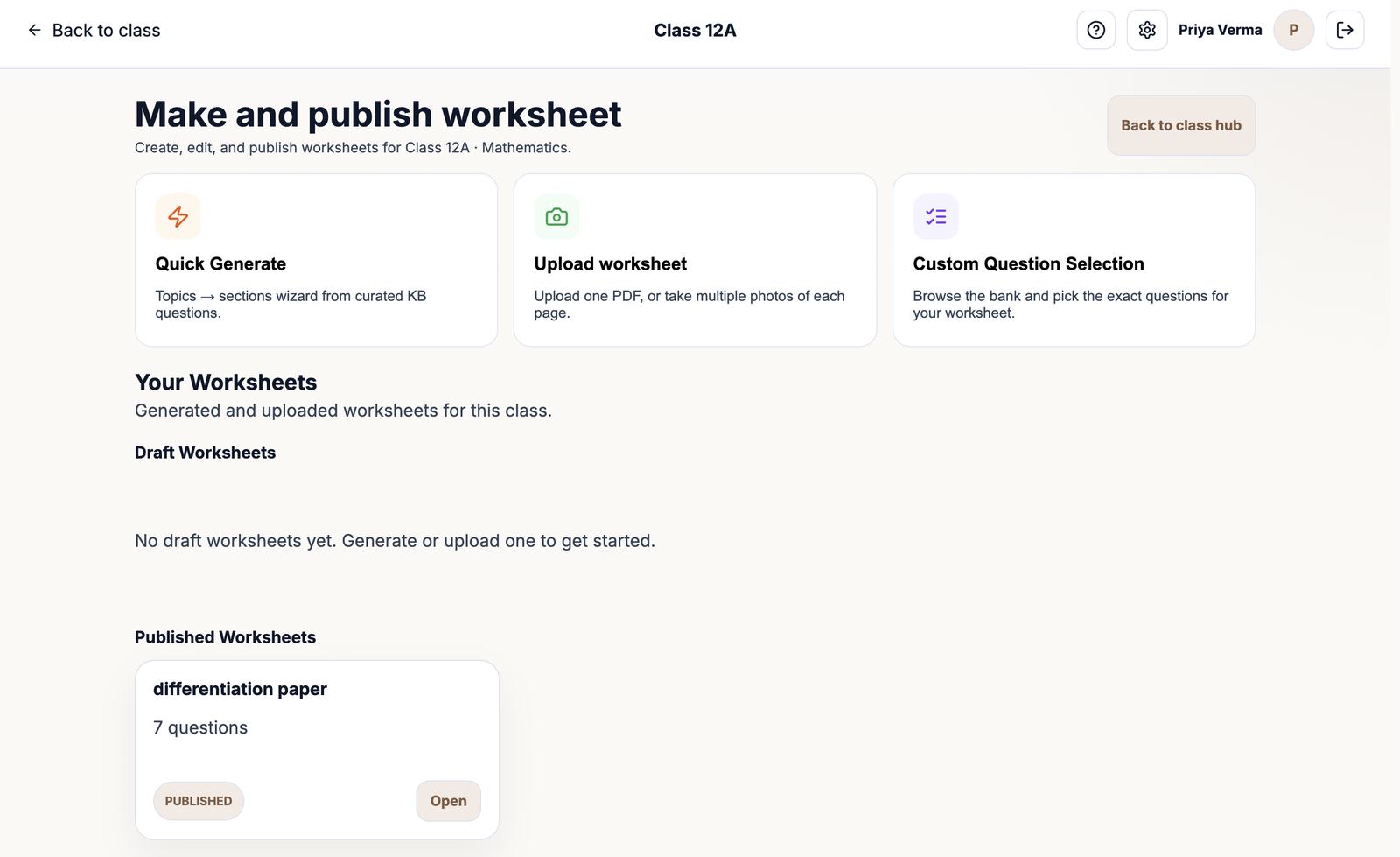
Make or upload the worksheet.
Upload the PDF you already use, or generate one from the Class 6–12 Maths bank. Print it, or publish it with a due date.
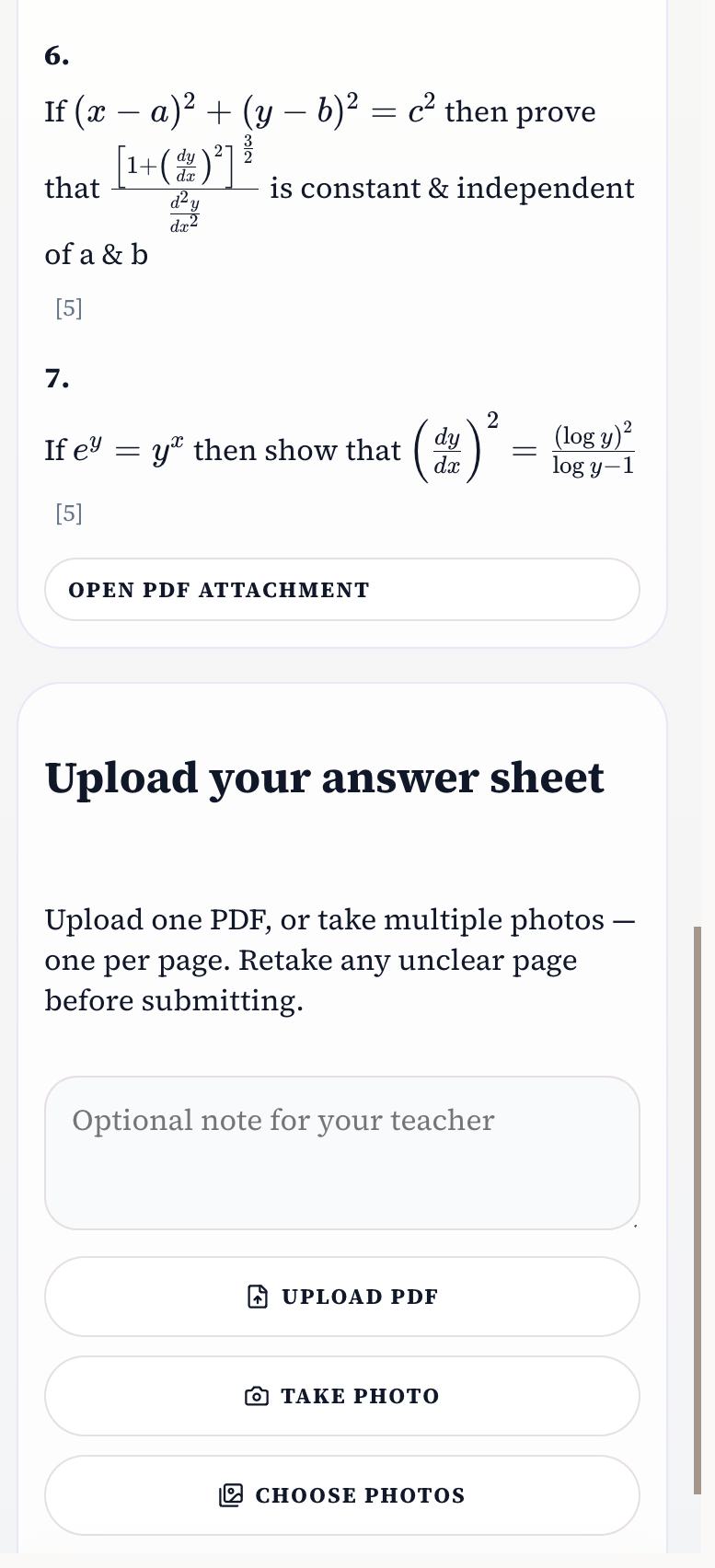
STUDENTS · IN CLASS OR AT HOME
Write on paper. Photograph. Upload.
Students join with a class code, write on paper, then upload photos or a PDF.
VEDORA, THEN YOU · SAME DAY
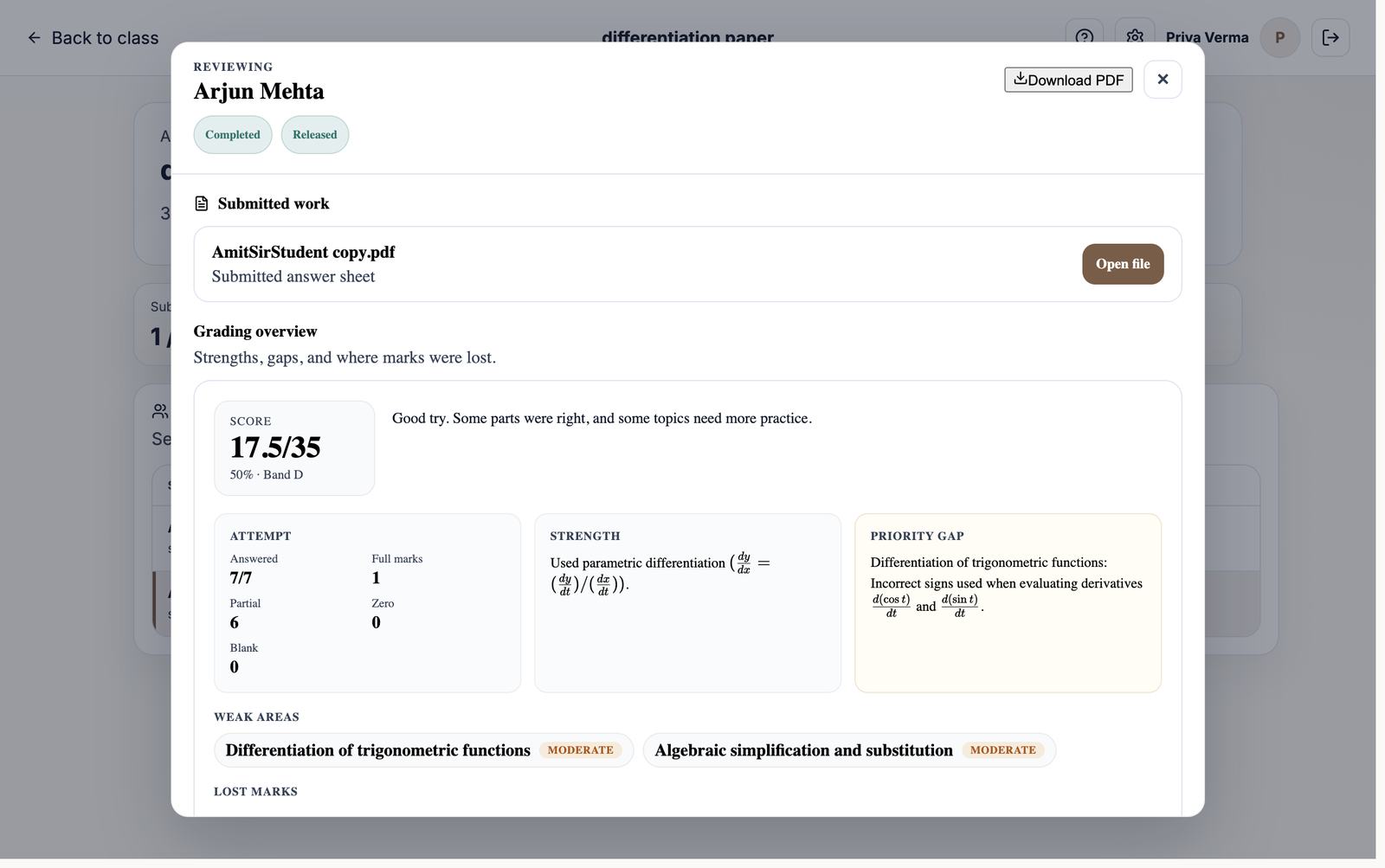
Every step graded. You choose when students see it.
Marks per question and per step, what went well, and which idea slipped. Review, then release. Auto-release is optional.
AI grading can be wrong. Leave auto-release off if you want to approve every mark first.
AFTER THE FIRST WORKSHEET
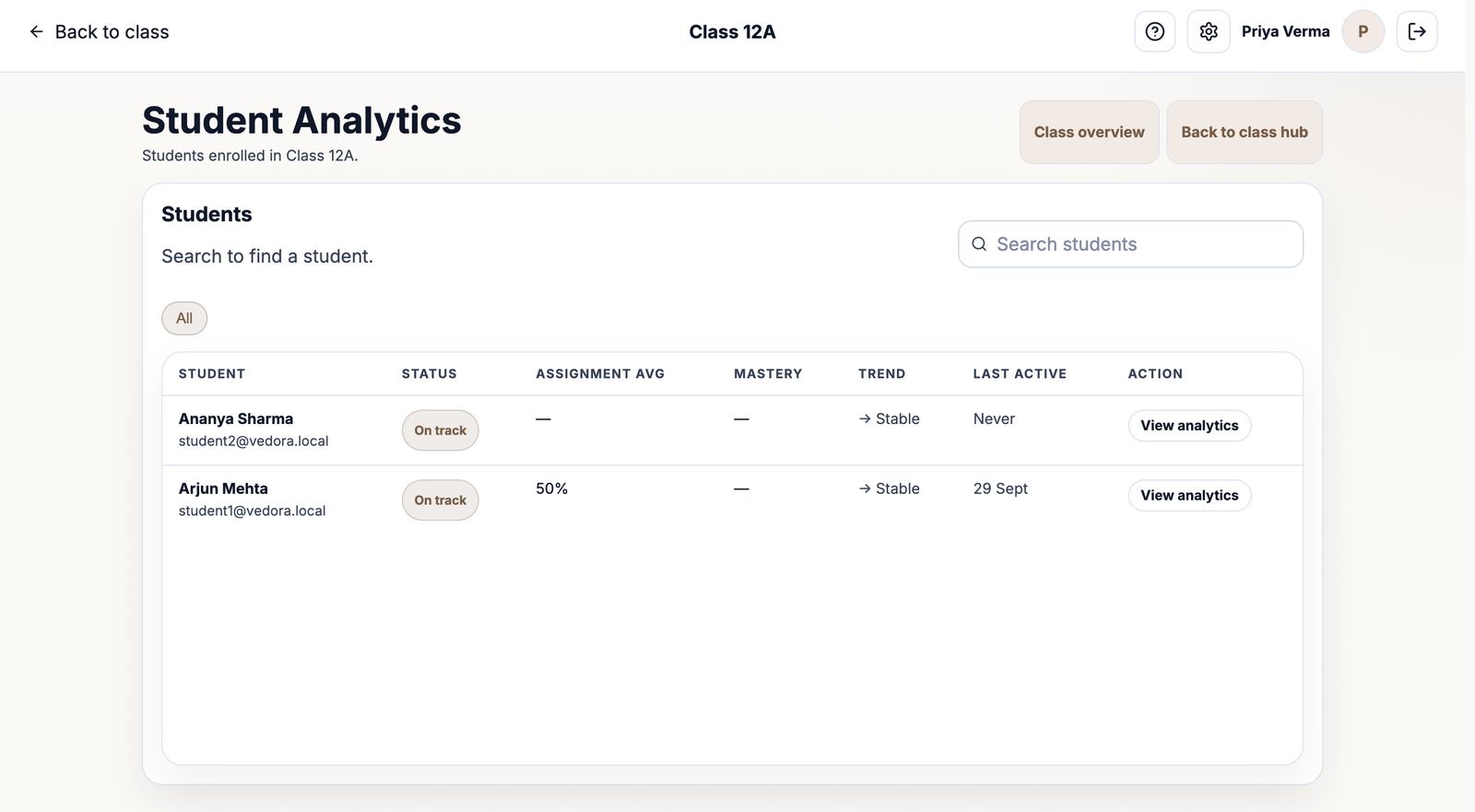
Who is stuck, and on which step.
- Per student: every question, the marks, and the feedback they received.
- Per question: where the class lost marks, so the next lesson starts there.
- A PDF report per student, in English or Hindi.
Class heat-maps and year-long profiles are still being built.
NO SURPRISES IN WEEK TWO
What you can rely on today. What’s coming.
Available today
- Teacher account, Class 6–12 classes, and a student join code
- Maths, plus Science (Classes 6–10) and Physics (Classes 11–12)
- Upload your own paper, or pick and generate from the Maths chapter bank
- Print the question paper, answer key, and solutions
- Publish with a due date; students upload a photo or PDF from a phone
- Step-by-step grading, your review, and release in one click
- After a student submits, the report explains the relevant concept and gives follow-up practice from that work
- Per-student history and PDF reports, in English or Hindi
- A principal dashboard, set up by Vedora for pilot schools
Being built
- Editing AI marks before release
- Concept-wise class heat-maps
- Student proficiency, including by class
- Asking for teacher help inside Vedora
- A year-long student profile
- Spreadsheet import of students
- Chapter banks beyond Maths
On request
Chemistry, Economics, Accountancy, and other subjects are enabled for your school, usually within a day. Tell us what you teach.
Pilot schools shape this list.
FOR THE STAFF MEETING
The questions your principal will ask.
Student data
Name, email, class, and uploaded work — used to grade and show progress, never to advertise. Delete an account from Settings. Ask on WhatsApp: +91 8979986263 or +91 9341026081.
When AI is wrong
Leave auto-release off to see every grade first. Marks are practice feedback, not official results.
What students need
Any camera phone, including one shared in class. Paper and pen stay. Nothing to install.
Subjects and classes
Classes 6–12. Maths is live, strongest in Class 10 and 12. Science (6–10) and Physics (11–12) are available now. Other subjects, usually within a day.
A 30-MINUTE PILOT
Don’t change your teaching. Test one part of it.
- 01
Create a class and share the code.
About five minutes.
- 02
Publish the worksheet you already planned.
Upload it, or build it. Add a due date if you want.
- 03
Students write, then upload.
On paper. Then photos, or one PDF.
- 04
Review, release, and see who lost marks where.
If it saved an evening, add a second section. If not, you’ve lost 30 minutes.
PRACTICAL QUESTIONS
Before you try it.
Which classes and subjects work today?
Classes 6–12. Maths is live now. Science (Classes 6–10) and Physics (Classes 11–12) are available now. Other subjects are switched on for your school on request, usually within a day.
Do students need their own phone?
No. A shared classroom phone is enough, and a computer PDF works too.
Can I use my own worksheet or question paper?
Yes. Upload that PDF or its photos. You can also pick or generate questions from the Maths chapter bank.
How do students submit handwritten work?
They join with your class code, write on paper, then photograph each page or upload one PDF.
What if the AI grades something wrong?
Leave auto-release off and check grades before students see them. AI grading can be wrong. Marks are not board results.
What does the school pay?
Pilots are free. School pricing is agreed after the pilot. Talk to either of us: +91 8979986263 or +91 9341026081.
What happens to student data?
Name, email, class, and uploaded work, used only to grade and show progress. Delete an account from Settings.
Can the principal see progress across teachers?
Yes, on pilot schools. Vedora sets up that view. Principals do not sign themselves up.
ONE CLASS IS ENOUGH
Give the next worksheet a second job.
Try it with the class you teach tomorrow. Already set up? Sign in and continue.
Try one worksheet — free
Discuss a school pilot
Talk to either of us first: +91 8979986263 or +91 9341026081.
Already set up? Sign in Studying for boards? Start here.